The Daily and Monthly Planner: Your Foundation for 2023 Productivity
The blueprint for a productive year is often found in a simple, structured layout. The Daily and Monthly Planner is exactly that—a comprehensive 381-page KDP interior template designed for 2023. It provides the essential framework for tracking your time, from the broad scope of monthly goals down to the focused detail of hourly daily pages. But its real value lies not just in its structure, but in its adaptability. As a fully editable Canva template, this planner becomes a canvas. It’s a starting point for creators, entrepreneurs, and anyone seeking order, waiting for you to infuse it with your personal style and professional needs.
Beyond the Template: A Toolkit for Organized Creativity
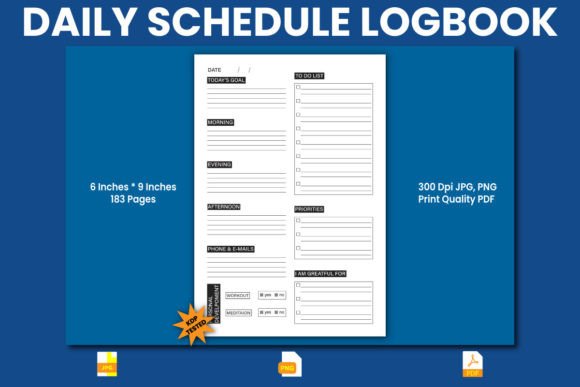
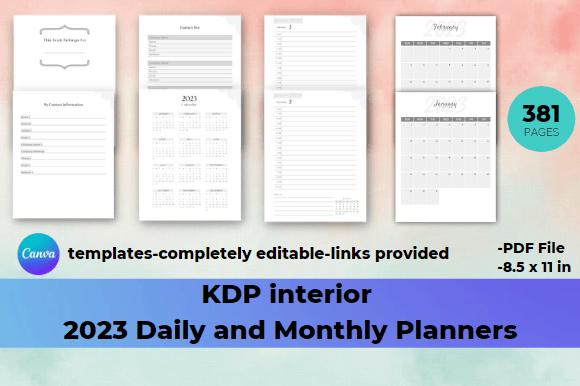
What makes this Daily and Monthly Planner particularly interesting is its duality. It is a finished product—a ready-to-use 8.5 x 11 inch PDF with 365 daily pages, 12 monthly overviews, and practical sections like contact lists and calendars. Simultaneously, it is a raw material. The provided editable links unlock its potential as a foundational toolkit. This allows you to maintain the robust, time-tested structure of daily, hourly, and monthly planning while customizing every visual element to suit your brand, audience, or personal taste.
Adapting the Framework for Diverse Goals
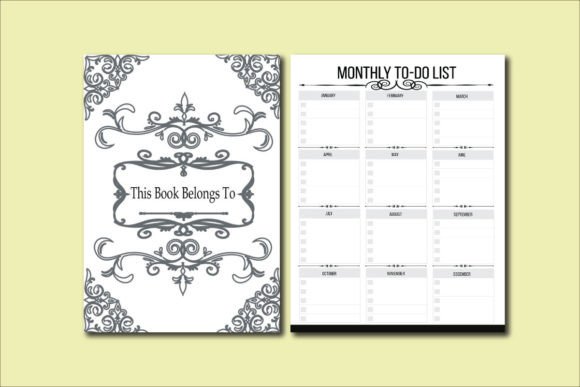
The uniform structure of daily and monthly pages is a strength, not a limitation. Its consistency becomes the reliable backbone for wildly different applications. A freelance graphic designer might use the hourly daily pages to block out client work, administrative tasks, and creative exploration, coloring each category differently for instant visual recognition. An educator could adapt the monthly planner pages to outline curriculum units, key deadlines, and professional development days, sharing this as a clear, organized schedule with students or colleagues. The “This book belongs to” and contact information pages transform it from a generic pad into a personalized professional tool or a branded company resource.
For small business owners and marketers, the planner’s framework can be repurposed. The daily pages could track campaign timelines, social media posts, and content deadlines, while the monthly overviews visualize quarterly marketing goals and product launch schedules. By editing the template on Canva, you can integrate your company’s color palette, logo, and fonts, creating a cohesive internal document that reinforces brand identity even in day-to-day planning.
Creative Directions and Practical Variations
The editable nature of the Daily and Monthly Planner invites you to think about tone and audience. Will your version be minimalist and functional, using clean lines and neutral colors for a corporate team? Or will it be vibrant and inspiring, with motivational quotes woven into the monthly pages for a community hobby group? You control the aesthetic direction. This isn’t about designing from scratch; it’s about thoughtfully modifying an expert layout.
- The Minimalist Professional: Reduce color, use strong typography, and perhaps add subtle grid lines to the daily pages for a focus on precision and clarity.
- The Inspiring Coach: Integrate light background textures in the monthly sections, add a “Weekly Focus” header to the daily pages, and use encouraging color accents.
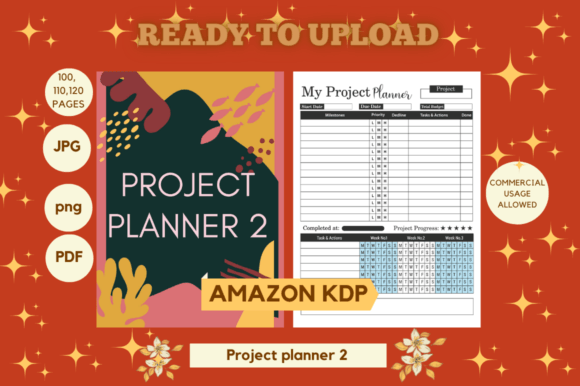
- The Project Manager: Highlight the hourly breakdowns on daily pages, and add a small “Project Status” column to track ongoing initiatives alongside daily tasks.
Each variation serves a different user but leverages the same reliable, time-based structure. The creative work is applied, not abstract—it directly enhances the planner’s functionality for a specific person or group.
Ensuring Effective and Audience-Friendly Results
When adapting the template, keeping the end-user in mind is key. If you are creating a planner for sale or for distribution within a team, maintain a clear visual hierarchy. The core elements—dates, time slots, task areas—should remain easily readable. Customization should aid usability, not obscure it. Consistency across the 381 pages is vital; changing the header style on every monthly page creates confusion. A simple, consistent set of edits across all pages, like a unified color scheme and font pair, yields a polished, professional, and easy-to-use result.
For bloggers and content creators using the planner to manage their own workflow, originality can come from content, not just design. The daily pages are perfect for logging not just tasks, but ideas, snippets of research, and engagement metrics. The monthly planner becomes a content calendar and a retrospective review space. The template organizes the chaotic streams of creative work into manageable, hourly and daily blocks.
The Practical Path from Template to Finished Product
The process is straightforward: you receive the zip file with the PDF, instructions, and the editable Canva links. Opening the template in Canva presents the complete 381-page Daily and Monthly Planner structure. From here, your edits are focused. You can change colors, fonts, and background elements. You can add minor graphical flourishes or integrate your own header images on key pages like the “This book belongs to” section. The goal is not to rebuild the planner, but to personalize its framework to make it resonate with your intended audience or reflect your personal productivity style.
This approach balances inspiration with concrete guidance. You are inspired to create something uniquely suited to a need, but you are guided by a proven, full-year layout that eliminates the daunting task of designing 365 daily pages from a blank slate. It encourages useful creativity—the kind that solves a problem, like how to visually organize a complex year, or how to present a team schedule with brand consistency.
Ultimately, this Daily and Monthly Planner template is more than a set of pages. It’s a methodology packaged as a design asset. It champions the idea that effective planning requires both structure and flexibility. The daily, hourly, and monthly formats provide the structure. Your creative edits on Canva provide the flexibility. Together, they form a tool that can help clarify goals, manage time, and track progress—whether for an individual crafting their best year or a professional creating a resource for their entire team. The 2023 calendar is already in place; now it’s your turn to define what fills it.