Crafting Your Own Professional Accounting Ledger: A Guide to Custom Publishing
For small business owners, bookkeepers, freelancers, and hobbyists, maintaining clear and organized financial records is not just a best practice—it’s essential for success. While digital tools abound, the tactile reliability of a physical ledger book remains irreplaceable for many. Imagine having a custom, professionally printed accounting ledger that fits your specific needs perfectly. This is now entirely achievable with ready-to-use work files designed for platforms like Amazon KDP. Let's explore how you can create your own unique 6 Column Accounting Ledger Book from scratch.
The Enduring Value of a Six-Column Ledger
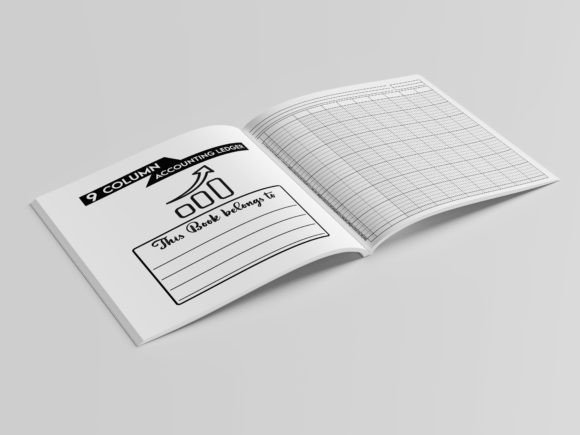
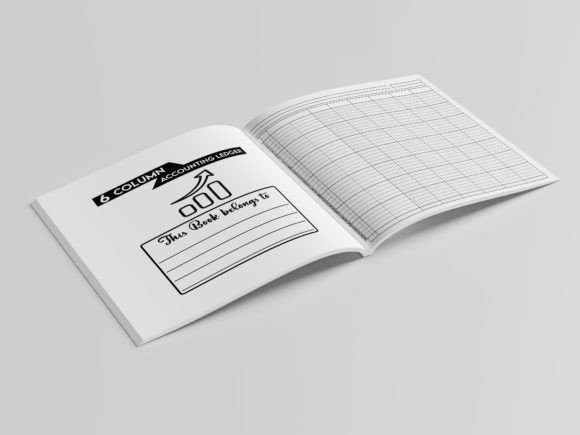
Before diving into creation, it's crucial to understand the tool itself. A 6 Column Accounting Ledger Book provides a structured, page-by-page framework for tracking financial transactions. The six columns typically allow for detailed entries such as date, description, debit, credit, balance, and perhaps a reference or category column. This format offers more granularity than simpler journals, enabling you to monitor cash flow, reconcile accounts, or manage project budgets with greater clarity. It’s the physical backbone of a transparent accounting system.
In modern workflows, such a ledger often serves as a primary record or a backup to digital software. For craft businesses, rental property managers, or community clubs, it’s a central document. The act of handwriting entries can also foster a deeper, more mindful connection to your finances, highlighting spending patterns or income trends you might miss in a spreadsheet.
What "Ready to Upload" Work Files Really Mean
The promise of WORK FILES to put together and create your own unique book represents a significant shift from purchasing a generic product to owning a customizable template. These are not just images or ideas; they are complete, professional-grade source files. For the described ledger, this package includes PDF, PPTX, JPEG, and PNG formats. Each format serves a distinct purpose in the customization and publishing process.
The high-quality print-ready PDF is the final file you would upload to a print-on-demand service. It’s formatted to specific dimensions—in this case, 8.25 x 6 inches—with 120 pages and no bleed, meaning the design ends precisely at the page edge, suitable for interiors without full-color margins. The other files (PPTX, JPEG, PNG) are your source materials. You can edit the layout in PowerPoint, change backgrounds using the images, or modify elements in graphic design software to personalize the ledger before regenerating your final PDF.
Key Specifications and Their Importance
Let’s break down the listed features to understand why they matter for your project:
- Size 8.25 x 6 Inches: This compact, almost A5 size is portable and convenient. It fits easily on a desk, in a bag, or on a shelf without occupying too much space, making it ideal for on-the-go recording.
- 120 Pages: This provides substantial capacity for a year’s worth of transactions for many small ventures, without being overwhelmingly bulky. It strikes a balance between thoroughness and practicality.
- No Bleed: This design choice simplifies the printing process, especially for interior pages. It’s a standard and cost-effective specification for text-and-line-based books like ledgers, ensuring clean edges.
- Multiple Source Files (PDF, PPTX, JPEG, PNG): This versatility is the core of customization. Whether you're a beginner tweaking colors in PowerPoint or a designer doing advanced edits in Adobe software, you have the right file type to work with.
- High-Quality Print Ready PDF: This guarantees the file meets professional printing standards. Proper margins, embedded fonts, correct resolution, and CMYK color setup are already handled, eliminating technical hurdles that could delay publishing.
The Customization Process: Making It Your Own
Owning the work files transforms you from a buyer into a creator. You can adapt this 6 Column Accounting Ledger Book to reflect your brand, personal style, or specific accounting method. Consider changing the header titles of the columns if you need “Invoice #” instead of “Reference.” You might add your business logo or a subtle watermark on each page. Perhaps you want to adjust the line spacing or the font for better readability.
Using the PowerPoint file, you can quickly alter colors or rearrange elements. The image files allow for graphic edits in programs like Canva or Photoshop. After your modifications, you compile the pages back into a single, print-ready PDF. This process empowers you to produce a ledger that feels truly professional and tailored, something you’d be proud to use or even sell to others with similar needs.
Practical Benefits for Different Users
The ability to create a custom ledger has wide-ranging applications. A freelance graphic designer might create a branded ledger to track client payments and project expenses. A farmer’s market vendor could simplify the columns to track daily sales and costs. An avid hobbyist managing a complex collection could adapt the ledger for inventory purposes. The 6 Column Accounting Ledger Book template is a starting point, but your unique requirements dictate the final product.
Furthermore, if you’re publishing on Amazon KDP or similar platforms, you’re not just making one copy for yourself. You can list your customized ledger for sale, reaching a niche audience looking for exactly what you’ve designed. The work files give you the asset to become a micro-publisher in the stationary or business tool space.
Considerations Before You Begin Your Project
While the path is straightforward, a few considerations will ensure a smooth experience. First, assess your design skills and software access. Basic changes are possible with free tools, but more intricate edits might require dedicated software. Second, think about your audience—if you’re creating for sale, research what other ledger books offer and identify a unique angle your version can provide.
Finally, always test the final PDF. Before uploading to a publishing platform, print a sample page at home to check alignment, clarity, and readability. Ensure the columns are wide enough for handwritten numbers and that the paper quality you select (via the platform’s choices) complements the design. A high-quality print-ready PDF is your responsibility once you modify the source files; double-checking page size, margins, and image resolution is crucial.
Integrating a Custom Ledger into Your Financial System
A beautifully crafted, personalized ledger is more than a notebook; it’s a functional part of your financial ecosystem. It can be the primary record for a cash-based business, the audit trail backup for a digital-first company, or the budgeting tracker for a personal passion project. The discipline of regularly updating your 6 Column Accounting Ledger Book fosters accountability and provides a tangible history of your financial journey.
In an era of disposable digital files, a well-made physical book offers permanence and focus. By using the provided work files to create a ledger that suits your exact needs, you invest in a tool that not only serves a practical purpose but also reflects the seriousness and professionalism of your endeavors. Whether for personal use or commercial sale, the process underscores a powerful trend: the democratization of professional tool creation, putting design and utility directly in your hands.